forked from xiaozhi/xiaozhi-esp32

54 lines
1.1 KiB
Markdown
54 lines
1.1 KiB
Markdown
# DFRobot ESP32-S3 AI智能摄像头模块
|
||
|
||
## 介绍
|
||
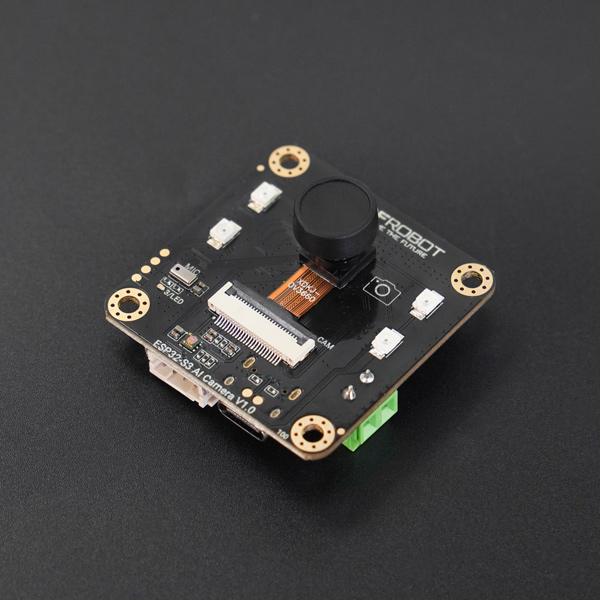
ESP32-S3 AI CAM是一款基于ESP32-S3芯片设计的智能摄像头模组,专为视频图像处理和语音交互打造,适用于视频监控、边缘图像识别、语音对话等AI项目。
|
||
|
||
|
||
[点击查看详细介绍](https://wiki.dfrobot.com.cn/SKU_DFR1154_ESP32_S3_AI_CAM)
|
||
|
||
[点击查看视觉功能演示](https://www.bilibili.com/video/BV1ktjSzNEUU/)
|
||
|
||
# 特性
|
||
* 使用PDM麦克风
|
||
* 板载 OV3660 摄像头
|
||
|
||
## 按键配置
|
||
* BOOT:短按-打断/唤醒
|
||
|
||
## 编译配置命令
|
||
|
||
**配置编译目标为 ESP32S3:**
|
||
|
||
```bash
|
||
idf.py set-target esp32s3
|
||
```
|
||
|
||
**打开 menuconfig:**
|
||
|
||
```bash
|
||
idf.py menuconfig
|
||
```
|
||
|
||
**选择板子:**
|
||
|
||
```
|
||
Xiaozhi Assistant -> Board Type -> DFRobot ESP32-S3 AI智能摄像头模块
|
||
```
|
||
|
||
**修改 psram 配置:**
|
||
|
||
```
|
||
Component config -> ESP PSRAM -> SPI RAM config -> Mode (QUAD/OCT) -> Octal Mode PSRAM
|
||
```
|
||
|
||
**修改 WiFi 发射功率 为 10:**
|
||
|
||
```
|
||
Component config -> PHY -> (10)Max WiFi TX power (dBm)
|
||
```
|
||
|
||
**编译:**
|
||
|
||
```bash
|
||
idf.py build
|
||
``` |